
How to use worksheets well
A worksheet is only a tool. It can be a nice, short, quiet activity that gives a child the pleasure of finishing something, or it can turn into a chore. The difference is usually in how it is used. This guide collects practical habits for printing, doing and checking worksheets with a young child, at home or in a classroom.
This is a general guide, not advice about any particular child. If you are worried about how a child is learning, talk to their teacher or doctor.
Before printing
- Pick one skill. Choose a sheet for what the child is working on now, not everything at once. The other guides in this section explain what to do first for each skill.
- Choose the paper. Each sheet prints on US Letter or A4. Pick the size your printer uses.
- Color or black and white. In black and white the pictures become outlines. That is useful when the child will color them, and cheaper on ink.
- Set the difficulty. Most tools let you choose the numbers or words, such as counting up to 5 or up to 10, and how many questions are on the page. Start easier than you think you need to.
- Print at 100%. Choose "actual size" in the print window so the sheet fits one page without shrinking.
At the table
- Keep it short. Ten to fifteen minutes is enough. One sheet is plenty, and two is too many if the child is tired.
- Sit beside the child for the first sheets of a new kind, and read the instruction at the top aloud together.
- Do the first one together. Show the first question, then let the child do the next.
- Let them lead. If they want to color the pictures first, that is fine. Warm-up is part of the work.
- Give a crayon or a short pencil they can hold comfortably. See the guide on pre-writing and cutting if holding it is a struggle.
Helping without doing it for them
When a child is stuck, ask a question before giving an answer. "How many do you see?" "What is the first sound in this word?" "Where could you start?" If you have to show something, show it once, then take it away and let the child try again. A mistake that the child finds and fixes teaches more than a correct answer you put in for them. Do not rub out their answer. Show them how to check it, and let them rub it out themselves if they want to.
Using the answer key
Every sheet that has right and wrong answers also has an answer key for the grown-up. It prints on a separate page, and only when you ask for it, so the child never sees it by accident. Use it after the child finishes, and check together instead of marking alone. Say what was right first, then look at the one or two mistakes and ask how the child got there. Sheets where the child only traces or cuts have no answer key, because there is nothing to mark.
Keeping it fun
- End on something the child can do well, not on the hardest question.
- Stop when the child is tired, even if the sheet is not finished.
- Mix sheets with play: a counting sheet, then counting stairs on the way to lunch.
- Praise the effort and the careful looking, not only the right answers.
- Put finished sheets on the fridge or in a folder. Children like to see their pile grow.
In a classroom
- Print a set for the group, and make a few extra for children who work faster or need an easier version.
- Change the settings to give two or three levels of the same sheet, for example counting to 5 and counting to 10.
- Press New sheet for fresh questions each day, instead of copying the same page.
- Let an adult helper or an older child use the answer key.
- Use the PDF packs for a week of sheets in one print. The Terms say what you can do with the sheets in a classroom.
When a sheet is too hard or too easy
If the child gets nearly every answer wrong or wants to quit, the sheet is too hard. Go back to real objects, or to a sheet with smaller numbers or fewer questions. If the child finishes in a minute without any trouble, move to the next level, but ask them to explain an answer before you do, to be sure they understand it. In between, the child works at the right level: some mistakes, mostly right, and a little effort.
Free worksheets to start with
If you are not sure where to begin, try one of these. Each tool makes a new sheet whenever you press New sheet.
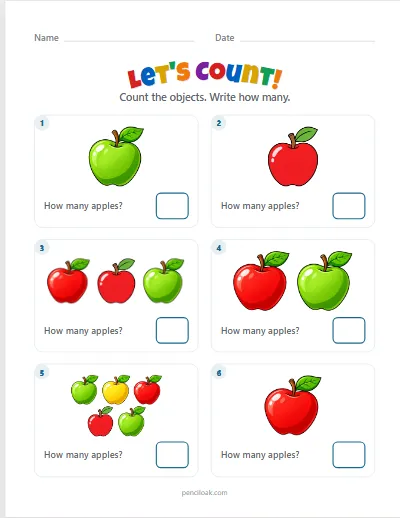
Count the pictures in each box and write how many. Up to 5, 10 or 20.
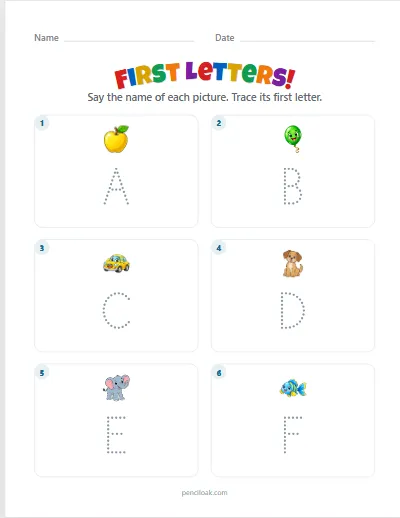
Say the picture and trace its first letter. Capitals or lowercase.
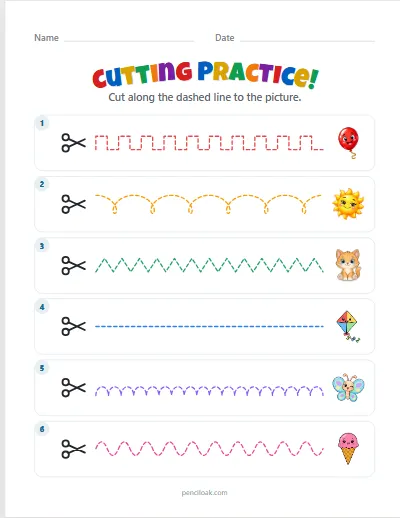
Cut along straight, zigzag, wavy and curly dashed lines to a picture.
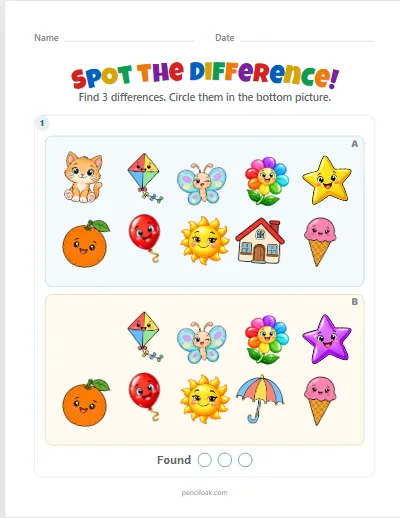
Two pictures, a few things changed: find the differences and circle them.
The sets of twelve sheets come as PDF packs, such as Counting 1 to 20 and Letters A to Z. You can also browse all worksheets.
Read next
- How to teach counting to 10Say the numbers, touch each thing once, know the last number says how many — one small step at a time, with free printable practice.
- How to teach letters and first soundsStart with their own name, match capitals to lowercase, learn a few sounds at a time, and listen for the first and last sound of a word.
- How to teach sight wordsThree to five words at a time: look, say, trace, find the word in print and read it in a sentence — and what to do when a child guesses from the first letter.